
Workflows, Automations, and the Agent Registry for your agentic SDLC

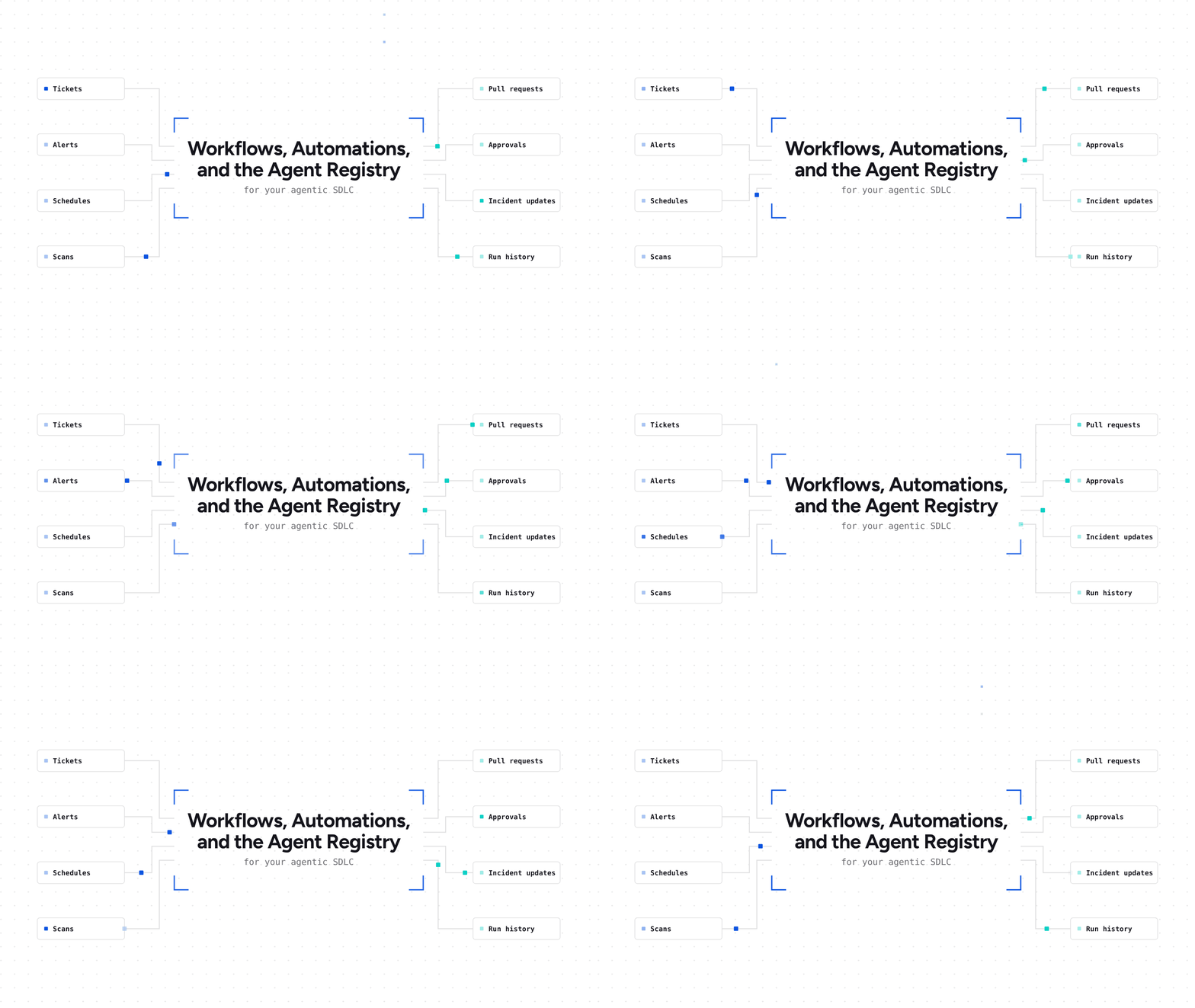
Engineering teams are bringing agents into every part of software delivery. Today, we're making it possible to run that work as a software factory on OpsLevel, with Workflows, Automations, and the Agent Registry, now in preview. A software factory is how your organization turns work into shipped software across your agentic SDLC, with people and agents working together: defined workflows, agents doing the work, the context they need, and guardrails on how far they can go.
Why we built it
Most engineering teams now use coding agents, but often with inconsistent results. Each developer picks their own tool and sets it up with their own context, rules, and model. Two engineers can give the same agent the same task and get very different output. It comes down to what context each one has and gives the agent, and which model they chose. The cost of that work varies just as much.
An agent that only sees one repository can't see the services that depend on it. It renames a field and breaks the services consuming it, or fixes the error in front of it while the cause sits in another service. Engineers end up reviewing and reworking agent output line by line, and the time agents were meant to save goes into cleanup. Meanwhile, nobody can say which agents are running, what they changed last week, or which services they should be allowed to touch. So teams fall back on one of two bad options: review every change by hand, which caps what agents can do, or let agents go further than anyone decided they should.
This gets harder as teams bring agents into more parts of delivery: triaging tickets, patching vulnerabilities, responding to incidents. To do that well, they need what a software factory provides: defined ways of working, shared context about their systems, clear guardrails, and a record of what happened.
We want to help teams raise the share of their work that ships safely with little or no manual effort, so engineers can spend their time where their judgment matters.
The core of your software factory
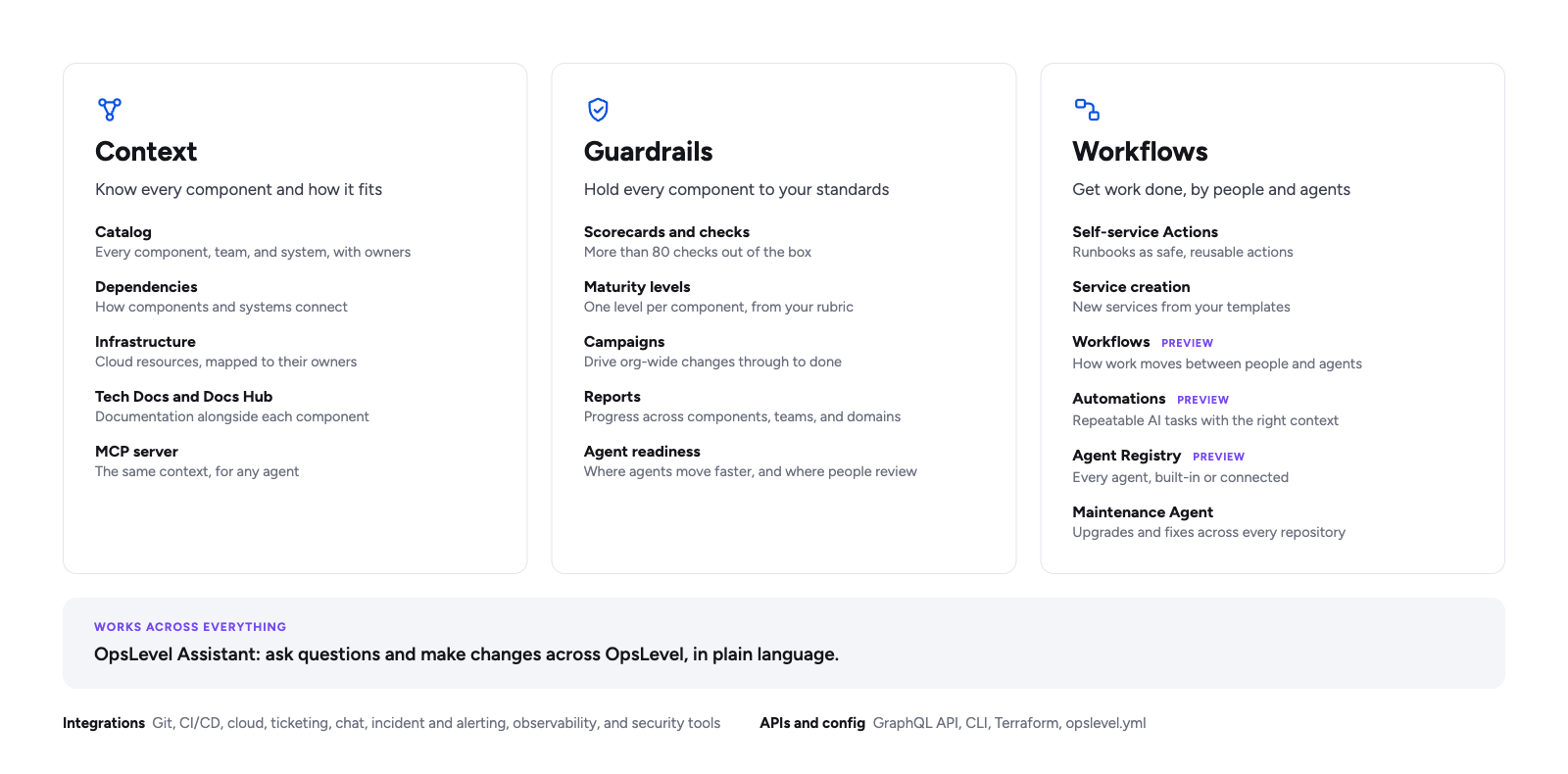
Workflows
Workflows define how work moves between people and agents. A workflow can start by hand, on a schedule, or from an event in another tool, like a ticket being labeled or a scanner reporting a finding. Each run then moves through a series of steps: AI steps, actions in your other tools, conditions that stop or branch the run, and human steps where someone reviews or approves. Every run is recorded step by step, so you can see what happened and why.
Each kind of work can have its own workflow, with its own steps and checkpoints. A dependency upgrade on a well-tested service might go straight from change to pull request, while a new feature gets a plan review and an engineer's approval before anything ships.
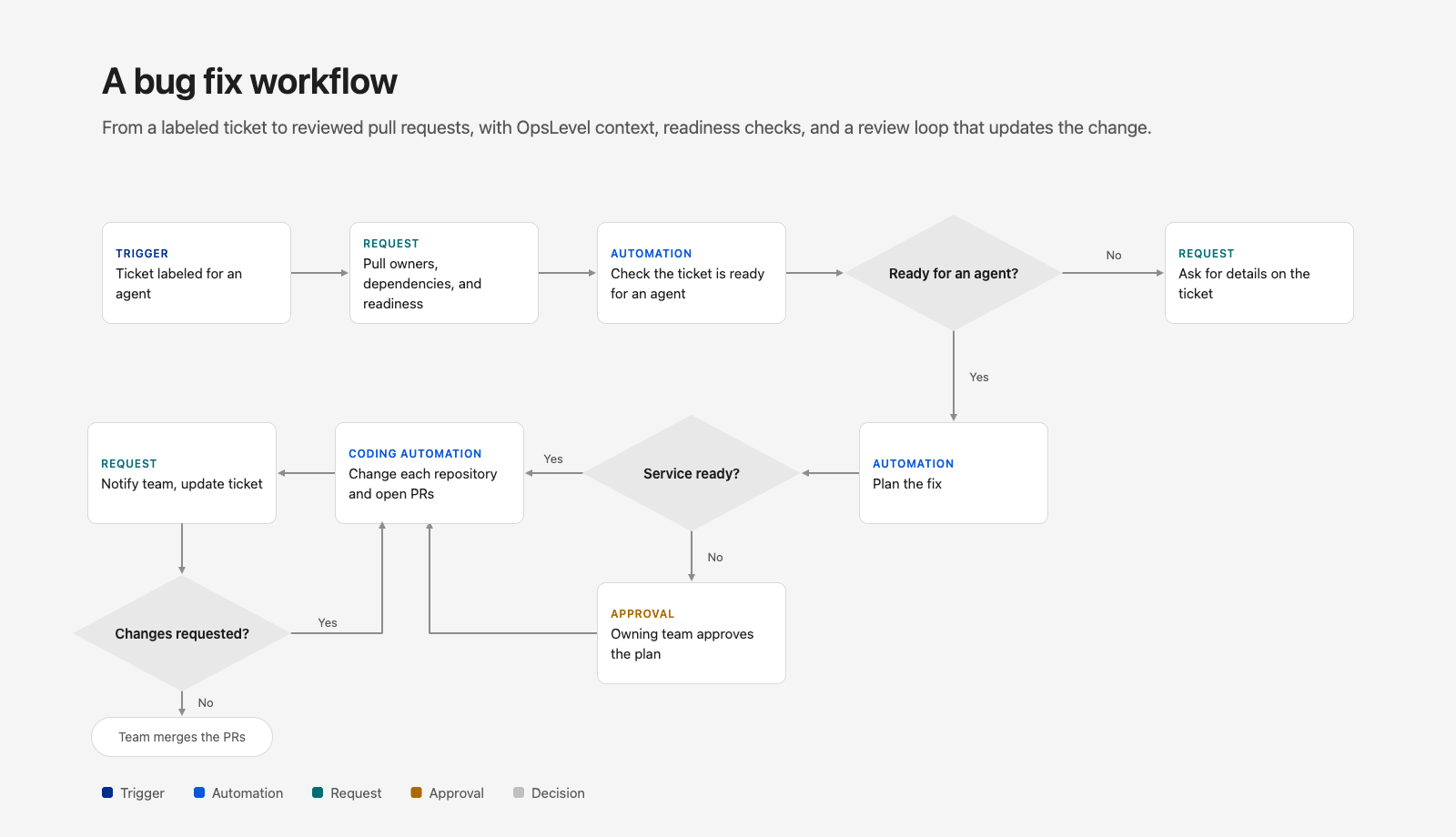
Take a bug ticket. When it's labeled for an agent, the workflow pulls the affected services from OpsLevel, with their owners, dependencies, and readiness. An Automation checks whether the ticket is ready for an agent, and if it isn't, the workflow asks for details on the ticket and stops. If it is, a second Automation plans the fix, and for services that don't meet your readiness bar, the owning team approves the plan before any code is written. A coding Automation then makes the change in each affected repository and opens the pull requests, and the workflow lets the owning team know in Slack and updates the ticket with the plan and links. Most of these steps happen before or after the code change, which is exactly the work a coding agent on its own doesn't handle.
Automations
Automations are repeatable tasks done by an AI agent, each set up with the agent, model, and context it needs. Build one once and use it anywhere, on its own or as a step in any workflow. Coding work alone can span several Automations: a bug fix, a vulnerability patch, a dependency upgrade, and a new feature each need different context, a different model, and different guardrails. Others handle work around the code, like refining a ticket into a plan or triaging a scanner finding.
Agent Registry
The Agent Registry tracks every agent your teams use: OpsLevel's built-in agents, and the agents from platforms you connect. Different work calls for different agents and models, and the registry shows which Automations use each one, so no agent works out of sight. Teams can also bring their own model provider keys and run agents on their own account instead of OpsLevel credits.
OpsLevel Assistant
The quickest way to build a workflow is to describe it. The OpsLevel Assistant, our new in-product AI chat, drafts a workflow from a description, or changes an existing one, so you don't have to wire every step by hand. It works across the rest of OpsLevel too, and we'll share more on that soon.
Context and guardrails for your agents
Agents need to know how your systems fit together, and how far they're allowed to go. OpsLevel provides both.
- Context. The catalog gives agents the view a single repository can't: every service, its owners, its dependencies, and its docs. An agent making a change to an API can find every service consuming it, how they use it, and their owning teams. Agents reach this context through our MCP server, and workflows can pull it into any step.
- Guardrails. Scorecards show which services are ready for agent changes, based on the standards you set, like test coverage and ownership. Workflows use that readiness to decide where agents move on their own and where a person approves first, so routine work on well-tested services moves quickly, and changes to critical services wait for their owners.
Join the preview
Our team works with you to choose your first workflow, get it running, and grow it from there. To join the preview, request a demo. Existing customers can also reach out to their OpsLevel contact.


Subscribe
Join our newsletter to stay up to date on features and releases.
By subscribing you agree to with our Privacy Policy and provide consent to receive updates from our company.

